| Types Of Defect | Example 1 | Example 2 |
| High Severity Low Priority | If you found that there is major crash in the functionality of the application but that particular module not to be released in this case priority is low but severity is high | A banking application which generate the weekly ,monthly ,yearly report .if there is fault calculating the yearly report. then this is high severity but low priority |
| High Severity High Priority | A Fashion Site maintain the customer details on the saving record if is doesn't allow to save record then this is high priority and high severity bug | A banking application which generate the weekly ,monthly, yearly report .if there is fault calculating the weekly report then this high severity & high priority because this fault block the functionality |
| Low Severity High Priority | Cosmetic Change is the Web site name and Found at time of delivery the Severity of the bug is low but priority is high because it affect the business. | If there is Spelling mistake or content issue on the homepage of a website which has daily hits of lakhs in this case the bug is not affecting the functionality but seeing the status and popularity of the website it is high priority for the business and low severity. |
| Low Severity Low Priority | If there is spelling mistake on the page which has not more hits then it is low severity low priority | If there is improper alignment of the page then it is low severity and low priority |
Tuesday, April 3, 2012
Examples of Priority & Severity

Priority & Severity
Priority:
The Priority status is set by tester to the developer mentioning the time frame to fix defect. If the high priority is mentioned then the developer has to fix it at the earliest. Priority depends on the urgency with which the bug need to fixed
Severity:
The Severity status is used to explain how badly the deviation is affecting the build. Severity depends on the harness of the Bug.

Related Document:
Examples of Priority & Severity
Monday, April 2, 2012
Verification & Validation
| NO | Verification | Validation |
| 1 | Verification is the process of checking that the software meets specification | Validation is the process of checking whether the specification capture the customer's need |
| 2 | It is refers needs of the user | It is refers to the correctness of the implementation of the specification by application |
| 3 | Verification is the static testing | Validation is the dynamic testing |
| 4 | It is internal process | It is external process |
| 5 | Verification check for the document ,code,plan,specifiction,requirements so on | Validation checks the whole product |
| 6 | Inputs of verification are walkthrough,checklist,review,inspection meeting | Input of validation is actual testing of the actual product |
| 7 | Verification take place first | After Verification validation done |
| 8 | Are we building product right? | Are we building right product? |
| 9 | Verification is process oriented | Validation is product oriented |
| 10 | Verification is QA process | Validation is QC process i.e. Testing |
Thursday, March 29, 2012
Regression Testing Vs Re-Testing
| No | Regression Testing | Re-Testing |
| 1 | In Regression Testing after checking the fixation of the bug to verify it's not generated any side effect of the application | In Re-Testing we check whether the bug fixed or not |
| 2 | Testing the test case in the new build | Testing the test case in same build but different inputs |
| 3 | Regression testing involves executing test case that were passed earlier build | Retesting involves executing test case that were failed earlier build |
| 4 | Testing the application after change in module or part of the application for testing because the change code will affect rest of the application | Testing the certain part of the application again without considering how it will affect other part of the application |
Tuesday, March 27, 2012
Defect Life Cycle

| 1. New: When the Defect is reported for the first time, its
status will be “NEW”. This means that is yet to be approved. The New
defect can be a Assign, Rejected or Deferred. 2. Open/Assign: The lead of the tester study the New Defect . Then change status from New to Open/ Assign. And Assign to the respective developer. See you can make the two status separately that Open and Assign .Open : The defect is the Open but not still yet Assign. Assign: The defect Open and Assign to the Developer. 3. Resolved: Developer fixes the defect, assigned back to respective tester. By changing the status of the defect Resolved. The fixed defect need to be verify by Tester/Test Team . If the defect is correctly fixed then Tester change the status Verified else Reassign/Reopen. 4. Deferred: If the New or Assigned defect is decided to be fixed in next release instead of the current release then that defect status change to the Deferred. 5. Rejected: If the defect found to be invalid then it is rejected . The defect need to be rejected by either of Test team lead/Development lead . 6. Verified: If tester find there the defect is fixed then status change to Verified. 7. Closed: If tester feel that filed the defect is no longer exist in the software then it change the final status to be Closed. 8. Reopened/Reassigned: If the defect still exists even after the bug is fixed by the developer, the tester changes the status to Reopened/Reassigned. |
Monday, March 26, 2012
Selenium Remote Control Introduction
Selenium RC
Suppose You want to create frame work or want to run test case which required to change the test data frequently or need to be repeated data; else you want to check some condition , to do verification, to use reusable function ….Then IDE fail in that .To do these need to do the programing then selenium RC is introduce.

What is Selenium Remote Control?
As you know the selenium IDE only work with the Mozilla Firefox…but end-user does not use only the one Firefox they use different browser Internet Explorer, Google chrome, Opera .It is tool that allow you to write automated web application UI Test in any programming language. It is also called as selenium 1.
How the Selenium RC Works?

The Diagram shows that RC Server receives the selenium command from the scripts (Test Programme). Test programme passes selenium command to the RC Sever for execution then RC Sever send this to web browser.
Selenium RC needed the selenium client libraries .It provides a programming interface. The client library takes a Selenese command and passes it to the Selenium Server for processing a specific action or test against the application under test. The client library also receives the result of that command and passes it back to your program.
How to set up Selenium Remote Control?
• Download Selenium Remote Control: (http://seleniumhq.org/download)
• Extract the Zip file.
• Go the Command Prompt navigate to the folder where you extract the zip file.
• Run the command java –jar selenium-server-standalone-2.19.0.jar (Note: 2.19.0 this is the version number when I downloaded) Running this command we created the proxy that our tests will communicate with it.
How to import selenium IDE Test case to Selenium RC?
1. Go to Selenium IDE
2. Open the test case in Selenium IDE which recorded
3. Convert the selenium IDE test in different format by going to Option tab of selenium IDE menu
4. Go to Format
5. Select the language which you want (Eg: select the java)
6. Go to source tab
7. Copy the code in Eclipse project
8.How to create the project in Eclipse?( Eclipse Installation and Project Creation )
1. Launch the Eclipse simply clicking on Eclipse Icon
2. Click on the File of the menu bar of the Eclipse
3. Follow the path: File>>New>>Java Project
4. Enter or else Give the Project Name and Click on the Finish button
5. The Java Project get created
Expand the project:
SRC is called as Package gets created by default. --- Create new classes into it
6. Click on the right click of the src and click on the Class and give the name of the class
First thing need to do the change the class name in the source file which copied from the IDE and give the class name which you given the src class name
7. Paste the code which copied.
Sunday, March 25, 2012
Difference between Smoke Testing and Sanity Testing.
| No | Smoke Testing | Sanity Testing |
| 1 | It's useful to check the stability of the system | It's useful to check the rationality of the system |
| 2 | It’s shallow and wide approach | It's narrow approach |
| 3 | It's check the all areas of the application without getting into deep | It's focus on the one or few areas of the application |
| 4 | It's designed to touch every part of the application that 's cursory way | It's use to determine small section of the application to check is it working after changes |
| 5 | It's performed to check critical functionality of the program working fine | It’s performed to check any minor changes and added new functionality |
| 6 | It is also called as build verification test | It's also called as Tester acceptance testing |
| 7 | It's scripted | It's unscripted |
Wednesday, March 21, 2012
How the Bug Report is important?
Bug report is the report to tell the programmer/developer to fix the bug.Seeing the bug report the programmer need to be understand what's the bug is all about.Bug report is the way where you can convince the programmer to fix the bug .Even if you are not the present on your desk the your bug report should do your work at your(Tester) absent.So for that, the bug report should be effective,informative & understandable.If the bug report is good then it is high chances to be fixed the bug.
1.The summery of the bug report should be clear and effective , the summery of the bug should give the more information to reader. Seeing the summery the reader need to be visualize the failure,impact ,consequences of the bug.
2.In the description of the bug report need to be write details of the bug.Like bug environment,In which platform the bug occurs. dependencies of the other module and component all.
3.Write Step to reproduce the bug, give more detailing of the steps.
4.Specify the priority and severity of the bug.Priority indicated when you want to be fixed the bug and severity indicated impact and consequences of the bug.
5.Attach the image file if it necessary.
These are the main component which need to be present in the bug report.

Monday, March 19, 2012
Traceability Matrix
The Traceability Matrix is to be able to trace from top
level requirements to implementation, and from top level requirements to test. It
shows the relationship between Test Requirements and Test Cases.
Using Traceability Matrix, we can check that which
requirements are covered in which
Test cases and which test case covers which requirements.
The same apply for the code too means which codes are covered which
requirements and which requirements are covered in which section of the code
too.
They are types of traceability matrix:
1. Forward traceability
2. Backward traceability
3. Bidirectional traceability
1. Forward Traceability:

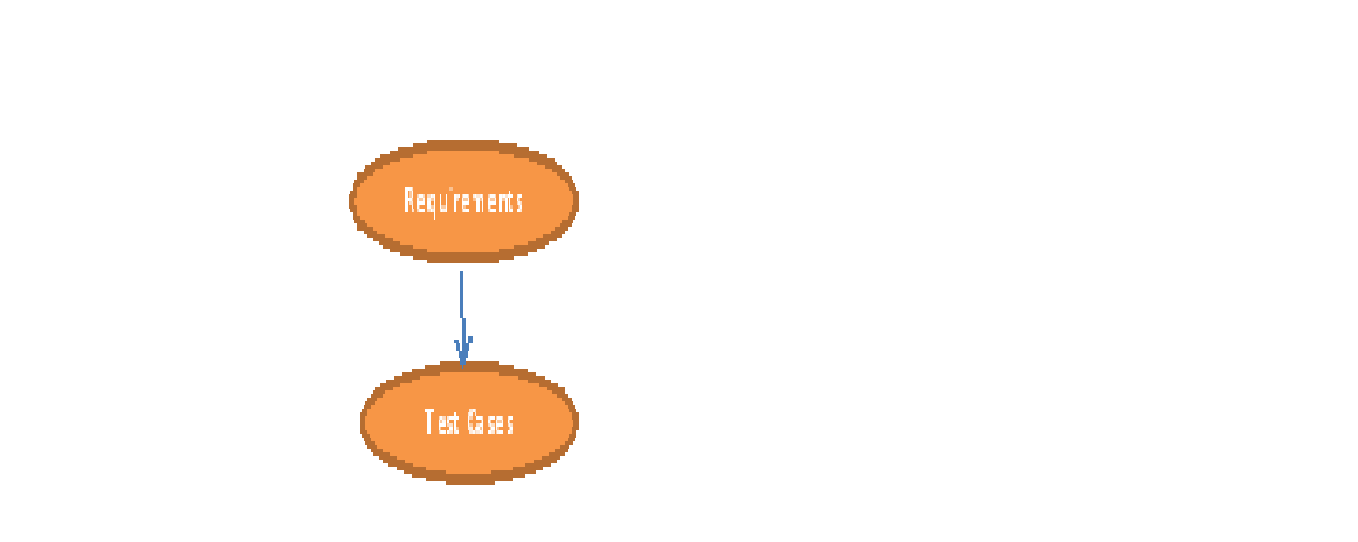
2. Backward Traceability:


Mapping takes place from test cases to requirements.
Bidirectional Traceability:


It contain Forward and backward traceability .Bidirectional
matrix is good for practise
A traceability matrix is a table that traces a requirement
to the tests that are needed to verify that the requirement is fulfilled. A
good traceability matrix will provide backward and forward traceability,. The matrix
links higher level requirements, design specifications, test requirements, and
code files. This is also known as Requirements Traceability
Matrix or RTM.
In RTM each requirements should be traceable: Written test
cases should be traceable to its requirement specification. If there is new
version then updated test cases should be traceable with that.
and make sure that all requirements included in the test cases
It Easy to identify the missing functionality.
If there is a change request for a requirement, then we can
easily find out which test cases need to update.
It is also use for the test coverage.
Sunday, March 18, 2012
How to use extension(plug-in) in Selenium IDE?
1. Go to Google
2. Type the selenium documentation
3. Click on the sequence of evaluation and flow control under the selenium IDE
4. Click on the link selenium ide.js extension
5. Click on the link page
6.Eg: github.com/darrenderidder/sideflow
7. Download the zip file
8. Extract the file
9. Copy the js file where you want to save
How to retrieve the saved .js file in the selenium IDE?
1. It is good to be Save js file the name of as user-extensions.js. While this name isn’t technically necessary, it’s good practice to keep things consistent.
2. Open Firefox and open Selenium-IDE.
3. Click on Tools, Options
4. In Selenium Core Extensions click on Browse and find the user-extensions. js file. Click on OK.
5. Your user-extension will not yet be loaded; you must close and restart Selenium-IDE.
Thursday, March 15, 2012
How to do Web Application Testing ?
Testing web application is different than to testing any other application.
There are certain checklist and some certain testing point which need to be done.
Functionality Testing:
1. Test all links in your webpages are working correctly.
Links to be checked:-
- Outgoing links: Check that the link takes you proper web page.
- Internal links: Check that the link takes you another section of the same web page.
- Anchor Links: Check that the link points to a specific element on web pages.
- Check the Mail to Links it reaches properly.
- Check that there is no orphan page.
- Check the broken link.
- If you removed some of the web pages from the site, then set up custom 404 page that redirect visitors to home page of the web site.
2. Test Forms in the
web pages.
This include-
- Scripting checks on the form are working as expected.
- Validation of each field.
- Check default values are being populated.
- Check the scrollbar appears if required.
- Once submitted, the data in the forms is submitted to a database or is linked to a working email address.
- Check the Error is showing inserting incorrect input in the form.
- Check Option of the form – like form view, modify, delete.
3. Test Cookies are working as expected.
Cookies are small files used by websites to primarily remember
active user sessions so it is use for future access.
Cookie Testing include:
- Testing cookies are deleted either when cache is cleared or when they reach their expiry.
- Delete cookies and test that login credentials are asked for when you next visit the site.
- Check what happened if user delete the cookies while in site.
4. Test HTML and CSS to ensure that search engines can crawl
your site easily. This will include
- Checking for Syntax Errors
- Readable Colour Schema
- Standard Compliance. Ensure standards such W3C, followed.
5. Test business workflow-
It includes:
End - to - end workflow, business scenarios which
takes the user through a series of webpage's to complete.
Test negative scenarios as well, such that when a user executes an
unexpected step, appropriate error message or help is shown in your web
application.
2. Usability testing:
Usability testing has now become a vital part of any web based
project. It ensures that the intended users of a system can carried out
the tasks efficiently & effectively. Web site should be easy to use
Learn-ability:
How easy it is for users to achieve tasks when visiting your web
site for the first time
Efficiency:
How quickly tasks can be achieved once a user is familiar with
your site
Memorability:
How quickly proficiency can be re-established when users have not
visited your web site for some time
Errors & Problem Resolution:
How often errors are made, how serious these errors are and how
easy it is for users to recover from these errors
Satisfaction:
How satisfied users are with the web site design, content,
applications etc.
Test the Navigation:
Menus, buttons or Links to different pages on your site should be
easily visible and consistent on all webpages. Navigation means how the user surfs the web pages,
3.Content testing:
Content includes the text, graphics, videvo &audio
Content should be legible with no spelling or grammatical errors.
Images if present should contain and "alt" text
All the anchor text links should be
working properly. Images should be placed properly with proper sizes
4. Interface Testing:
Application, Web and
Database Server these are the main interface.
Application: Test requests are sent correctly to the
Database and show correct output at the client side. Errors if any must be
caught by the application and must be only shown to the administrator and not
the end user.
Web Server: Test Web server is handling all application
requests without any service denial.
Database Server: Make sure queries sent to the database give
expected results.
Test system response when connection between the three
layers (Application, Web and Database) cannot be established and
appropriate message is shown to the end user.
5. Database Testing:
Database is one critical component of your web application and
stress must be laid to test it thoroughly. Testing activities will include-
Test if any errors are shown while executing queries
Data Integrity is maintained while creating, updating or deleting
data in database.
Check response time of queries and fine tune them if necessary.
Test data retrieved from your database is shown accurately in your
web application
6. Compatibility testing.
Compatibility tests ensure that your web application displays
correctly across different devices.
This include-
Browser Compatibility Test: Same website in different browsers
will display differently. You need to test if your web application is being
displayed correctly across browsers, JavaScript, AJAX and authentication is
working fine. Check the browser setting, browser version because some application
supports older version or newer version.
You may also check for
Mobile Browser Compatibility.
The rendering of web elements like buttons, text fields etc.
changes with change in Operating System. Make sure your website works fine
for various combinations of Operating systems such as Windows, Linux, Mac and
Browsers such as Firefox, Internet Explorer, Safari etc.
Mobile browsing:
Testing the web page on the mobile browser.
7. Performance Testing:
This will ensure your site works under all loads. Testing
activities will include but not limited to -
Website application response times at different connection speeds
Load test your web application to determine its behaviour
under normal and peak loads
Stress tests your web site to determine its break point when
pushed to beyond normal loads at peak time. Eg: Excessive volumes in terms of
either users or data.
Test if a crash occurs due to peak load, how the site recovers
from such an event.
8. Security testing:
Security testing is vital for Website that store
sensitive customer information.It is more important for the E-commerce site. Testing Activities will
include-
It includes Authenticates & Authorisation, confidentiality,
integretiy, Avaliablity.
Test unauthorized access to secure pages should not be permitted
Restricted files should not be downloadable without appropriate
access
Check sessions are automatically killed after prolonged user
inactivity
On use of SSL certificates, website should re-direct to encrypted
SSL pages.
Wednesday, March 14, 2012
Why Testing is important.....
Testing is about verifying that what was specified; what was
delivered. In simple word software testing is activity to check whether the
actual results match the expected result. It is very important to understand
that testing is also continuous process .Testing does not stand alone it is
intimately dependant activity but it is separate process activity .Testing is
the activity which can reduce the defects.
Testing is also begun from the starting phase of the SW Life
cycle from the requirements. Traditionally testing is take place at end of the
s/w life cycle (Waterfall model), Testing should take place through out
software life cycle. If you want to cut down cost of the bug find bug as early
as possible. Testing is like repeated activity testing never completed in one pass
it has to be give more passes or you can more iteration. Because as you do so
you generate more confident for that product.
We say best software which tested by thousands of users
under various different condition. Then we can say it is good to go or “stable”
but this does not mean that software is bugfree.it’s mean that bugs are
well-identified and well understood.
Software bugs can potentially cause monetary or even loss of
life. It can be expensive or even dangerous.
Tuesday, March 13, 2012
What is Junit?
Junit: It is subset of the java or derived of the java, with predefined and specific information that something called as annotation (@) those build together called as Junit framework...Junit is develop for the developer where they can test their own java code effectively
Junit is used for unit testing by developers. Junit basically is a testing framework.
When combined with selenium, it roves out to be very powerful in implementing selenium test cases and building a framework.
Junit selenium combination can be used to build any type of framework- keyword driven, data driven etc. When the scripts are run with the help of ANT, we also get HTML reports for test cases.
Junit comes inbuilt with eclipse.
When combined with selenium, it roves out to be very powerful in implementing selenium test cases and building a framework.
Junit selenium combination can be used to build any type of framework- keyword driven, data driven etc. When the scripts are run with the help of ANT, we also get HTML reports for test cases.
Junit comes inbuilt with eclipse.
Go to project properties, click on java build path and select the libraries tab.
Click on button on the left - 'Add Library' and add the junit 4 library into your project.
Junit 4 is the latest version of junit and has got various annotations supported in it.
The junit 4 annotations make our work very easy while writing the selenium scripts.
Click on button on the left - 'Add Library' and add the junit 4 library into your project.
Junit 4 is the latest version of junit and has got various annotations supported in it.
The junit 4 annotations make our work very easy while writing the selenium scripts.
Selenium Links -where you download the software
Selenium Links
Selenium Jar
Selenium-Server: (http://seleniumhq.org/download)
Selenium-Java-Client-Driver: (http://seleniumhq.org/download)
TestNG: (http://testng.org/doc/download.html)
TestNG plugin (http://testng.org/doc/download.html)
Eclipse:
(It is platform where we can store the java code, write, and execute it)
Installation Instruction: http://ist.berkeley.edu/as-ag/tools/howto/install-eclipse-win.html
Link from where you install Eclipse: http://www.eclipse.org/downloads/
Eclipse Installation & Project Creation
What is Eclipse?
·
It is platform where we can store the java code,
write, and execute it.
·
It is data access tools, webapp testing tool.
·
It is free and wholly extendable.
Prerequisites:
·
Install Java from following link: www.java.com OR http://www.oracle.com/technetwork/java/javase/downloads/index.html
·
Web Browser:
Download the Current version of the Firefox. Form Following link: http://www.mozilla.org/en-US/firefox/new/
·
It’s good if have more than 2 GB RAM
Download the Eclipse from the Following link:
·
From this link download Eclipse IDE
for Java EE Developers.
Eclipse IDE Installation instruction:
·
Copy the Zip folder of Eclipse from download
folder and Paste & save it where you want to unzip the Eclipse.
·
Unzip the Eclipse Folder.
·
After Unzip the Eclipse Folder you will see
Eclipse Icon so, just double click on that Icon.
·
Double Clicking on Icon It launches the
Eclipse IDE Where you can do your activity (Like writing, executing code etc...)
·
By Double clicking on the Eclipse it will ask
for the workspace. (Workspace is where Eclipse stores your projects in a folder
that folder called a workspace. Choose a workspace folder to use for that
particular session)
·
Click on the Ok Button It Launches the Eclipse
IDE
·
You Can create the Shortcut for Eclipse Simply
Right Clicking on the Eclipse Icon >>Click on Create shortcut.
How to Create Project in Eclipse:
·
After Launching the Eclipse Click on the File menu
·
Select New >> Java Project (Note: Java Project if not appear on the top then it will be present in the option so that time select the option)

Clicking on the Java Project the new screen appear Give the Project name and Click on the Finish button .

What is XPath & more about the XPath Add-Ons
What is Xpath?
• The Xpath is unique address for each and every element on the page.
• It is use for finding the position of the element.
• It is make for the every element
Selenium looks at highlighted element something which is to be unique (Eg: Name or id which is unique)
a. Attribute: (Name, size, value etc…)
b. First thing is need to be finding out unique id and name for that element …if not found then create own attribute like (XPath is this second level identification) Xpath is identification, what is path for that element …. But if tomorrow the application gets changes then the address that is "XPath" also change so write the XPath such way so it can be useful even if application also get change.
c. How to write the XPath :
d. XPath is the custom base on the certain element “attributes” and their respective “ values”
e. XPath Format:------ //html tag[@attribute name=’attribute value’]
f. Eg: //input [@type=’button’]
g. XPath can be specify with multiple attribute
h. If the Xpath is starting from the html gives the// before the XPath
You can find more good examples of XPath Syntax at W3C Schools
Using Firebug you can find out the XPath for the element.
There is one good add-on for to finding the XPath that is “XPath Checker” .it is interactive Editor for XPath expression.It’s give minimal XPath Expression to work
Selenium IDE Introduction
Selenium IDE
• Its user interface for generating automation test quickly.
• IDE can learn scetamaticly and perform them repeated step quickly that record and play.
• Selenium IDE is browser base application as long as it is web base. It is come only with Firefox.
• It exports tests in different languages. The most appealing
format is the html test case.
• This greatly simplifies the acceptance testing. Selenium tests should be considered as complimentary testing to unit tests.
• IDE can use for the Parameterised data.
• In selenium ide the script executed in the JavaScript
• It has debug and set breakpoints.
• It can also export Remote control or Web Driver scripts.
How to install Selenium IDE?
1. Go to Google
2. Type selenium download
3. Visit selenium HQ link
4. Click on the selenium IDE latest version
It is add-on of the Firefox.
It is present in the tool menu of the Firefox.
By default it is come with recording mode.
In Selenium IDE generated three column the command, target, and value
Command it is nothing but “what part wish to perform”?
Target it is “where to open” nothing but it's give the location of the element. The base URL followed by main URL (Element given the target)
Value “what do you want to type”
While recording selenium IDE store all the command in user interface
You can record multiple Test Cases
Maximum time to load the page in IDE is 30sec.30 sec is max time otherwise it is throwing the error
How to do Debugging?
Select the command from where want to do debugging by clicking right click toggle/breakpoint option
Difference between Assert and Verify:
Assert: It is allow the test to check if the element is present on the page or not if not then test will stop on the failed step.
Verify:It is allow the test to check if the element is present on the page or not if not then test will carry on.
Selenium Command:
waitFor: waitFor command timeout after 30sec by default.It's use to wait for item/element that you need to work and interact with it.It is require a page load from a web server.There are so many waitFor command is available
storedVars- It is use to store element that are on the page to be used later
Format1-${value}
Format2-javascript{storedVars[‘value’]} (Note: if do not want to write the javascript then use the command
echo- it is use for the print.
Related Document :
What is XPath?
Monday, March 12, 2012
How to configure ANT in System?
1. Download ANT-(apache ant version bin)
2. Unzip the file
4. Go inside in ANT
5. Copy the full path(The Path where the ANT file is seated)
//Setup the Environment variable
6. Go to my computer
7. Go to properties
8. Go to Advance tab
9. Click on the Environment variable
10. System variable add new variable>>Click on the NEW button
Give variable name: ANT_HOME
Give the variable Path: Which you copied where the ANT present
11. Then go down select the Path
12. Click on the Edit.. it don’t do any changes in the middle or start that path, give the; and then copied the ANT Path..... write \bin at the end
13. Go to the cmd prompt
14. Give the command ANT
Selenium Components and step for the download
1. What is selenium?
Selenium is test automation tool and it is extremely in demand, rapidly growing with world-wide and it is open source tool. It is cross browser testing and it is use any programing and functional automation so on .It is web base tool. It is cross browser .It’s support all programming language.
It is the independent of the language which the website is made
2. What are the Components of Selenium?
- Selenium IDE: Installs as an add-on in Mozilla. Only runs in Mozilla. It’s got a strong feature of record and run. It is primarily record & run tool. You can also extend IDE functionality with the help of user extensions. It supports regular extensions, loops, if statements and many other features. You can also parameterize your test cases using IDE. Click here to view 4 hours of Selenium IDE video tutorial. Drawback: it is only work in the Mozilla.
- Selenium RC: This is the older version of selenium. It works on all multiple browsers. RC can be implemented in any one of the programming languages.
- Web driver: Web driver is the new version of selenium. It also works on multiple browsers. It’s removed many drawbacks and issues in Selenium RC. It also supports Android and IPhone Testing.
- Grid: Grid is used to run test cases parallel on multiple machines and browsers. For the takes the test excitation takes lesser time.
3. Download the Selenium IDE
1. Go to Google
2. Type selenium
3. Visit selenium HQ link
4. Click on the selenium IDE latest version
How to install the firebug?
1. getfirbug.com
(NOTE: This is the add-on for the firefox)
4. Download the Selenium web driver?
1. Go to Google
2. Type selenium
3. Visit selenium HQ link
4. Download the Java client version.
5. Unzip the zip file.
6. Go to eclipse
7. Go to the project>>Right click on the project>>java build path>>click on the library tab>>click on the add external jar file >>select the jar file where it is located>>click on the finish button
5. Download the Selenium RC
1. Download the selenium rc from the Google.
2. Unzip the zip file.
3. Go to eclipse
4. Go to the project>>Right click on the project>>java build path>>click on the library tab>>click on the add external jar file >>select the jar file where it is located>>click on the finish button
(Note: Download the all installation file from my blog-: Selenium Links )
Related Document:
Selenium Overview
Thursday, March 8, 2012
What is "ANT"?
It is open source tool.
Ant can be used to generate the html report and it is run in your same project it can be run it through cmd prompt but sometime you want to run the project in UNIX server... that time ANT specially use
It is use for the build in the cmd prompt or in shell
It is implemented in JAVA..It's compile the source code,run unit test.
Ant build file written in the XML.
Download the ANT latest Version from following link:
Subscribe to:
Posts (Atom)