| No | Authentication | Authorization |
| 1 |
Authentication verify who you are?
|
Authorization verify what you are authorized to do ? |
| 2 | There are different way to authenticate the user like Password based Authenticate, Device based Authenticate, Biometric Authenticate | Giving the group permission like normal user to super user on Unix system |
| 3 | Authentication establish the identity | Authorization decide what privileges a given to person and program |
Wednesday, April 18, 2012
Difference between Authentication & Authorization

Monday, April 16, 2012
Selenium Testcase with Junit4 and more about @Before and @After Annotation

1.Create a Project in Eclipse
2.Create a Package under the project
3.Create the Junit Test case(Selecting Junit4)
Import the Selenium and JUnit. You can the use the following code:
import com.thoughtworks.selenium.*;
import org.junit.*;
We now need to start a browser. So declare Selenium variable outside of any method.
Create a new method that setUP() but before that use the @Before annotation. Before is used to execute set of precondition before executing the test. This Method start the browser.
Create a second method that is logoTest that is basically our Test case.
Create a third Method that is Teardown but before that use @After annotation This annotation execute after execution of every Test This method kill the browser when test will be finished.
import com.thoughtworks.selenium.*;
import org.junit.*;
import org.junit.After;
import org.junit.Before;
import org.junit.Test;
public class SampleTest {
Selenium selenium; //Creating the Selenium instance
@Before
public void setUP(){
selenium =new DefaultSelenium("localhost",4444,"*chrome","http://www.facebook.com");
selenium.start();
}
@Test
public void logoTest()throws Exception{
selenium.open("http://www.facebook.com");
verifyTrue(selenium.isElementPresent("//*[@id='blueBar']/div/div/a/img"));
}
@After
public void tearDown(){
selenium =new DefaultSelenium("localhost",4444,"*chrome","http://www.facebook.com");
selenium.start();
}
}
Sunday, April 15, 2012
Difference Between QC and QA
| NO | QC(Testing) | QA |
| 1 | Detect the Problem in the work Product | Ensure adherence to processes, standards ,plans |
| 2 | It's Product Oriented | It's Project Oriented |
| 3 | Develop and run test ; and check the result are correct | Guide and monitor the processes used, review the result |
| 4 | It is Detection | It is Prevention |
| 5 | It is used to verify the Quality of the output | It is process of managing the Quality |
Wednesday, April 11, 2012
Difference between Selenium IDE, RC and Web Driver

| NO | Selenium IDE | Selenium RC | WebDriver |
| 1 | Works only on Mozilla Firefox | Works on all browsers. | Works on latest versions of all browsers - Firefox, IE, Opera, Chrome |
| 2 | It is Record and run tool | No Record and run | No Record and run |
| 3 | No server required to start | Server required to start | No server required to start |
| 4 | Full xpaths have to be appended with 'xapth=\\' syntax | Full xpaths have to be appended with 'xapth=\\' syntax | No need to be append |
| 5 | Not at all object oriented | Object oriented | Object oriented |
| 6 | Core engine is JavaScript based | Core engine is JavaScript based | Interacts natively with browser application |
| 7 | It is GUI Plug-in | It is standalone java program which allow you to run Html test suite | It is actual core API which has binding in a range of languages |
Tuesday, April 10, 2012
Scenario Testing
What is Scenario mean?
Scenario is hypothesized situation , scene . It is description of person’s interaction with the system.
It is tasks which describe you what you have to do to complete it ,but not how to do it.

Scenarios can be related with use cases which describe interaction at technical level.
The Scenario test has five characteristic:
• It is story that is
• Motivating
• Credible
• Complex
• Easy to evaluate
Scenario covers a numbers of steps. It is used for the developing the Testcase
Scenario should be realistic.
Scenario testing is greatest use developing an understanding the situation.
Test Scenario cover a particular functional area,Business process,use cases etc.
Test Scenario is group of Test Scripts or Test Procedures or Test Cases.
We write the Test Scenario by starting with Scenario name,Scenario Description,Test Script,Test Requirements/Components. Each Test Scripts should have Script name,Script Description,Script Setup, Scripts Expected and Actual Result. and last Test execution.
Monday, April 9, 2012
Quality Factor Of Web Application

Reliability:
Reliability is that which we relied upon, which has confidence, which should be trustworthy. This thing important because web application is trusted by user who uses the e-commerce site, banking application to complete all their transaction. In Reliability we ensure that all information to be sent actually received by the destination ,it ensure that all duplicate information can be detected and filtered out .Most important Consistency .Take the simple example of the shopping site if the site is unavailable to their user whether due to excessive traffic, or some hardware/software problem after giving so many attempt if user failed to connect then it is really bad for that site in that case user might be loose interest for that site. So Reliability is important quality factor.
Usability:
Usability is an approach to make web sites easy to use for an end user. The Application should be easy to operate, it should be understandable, and it should be attractive.
Security:
It is most critical factor for the web application. In that need to regulate access to information, to verify user identities, and to encrypt the confidential information. Because the credit card information, financial information, medical information, corporate information must all be protected from the person ranging from the casual visitor to determined cracker.
Maintainability:
Maintainability is which focus on application upgrade and stability .Increasing the number of user as needed, upgrading the features as users needed, adding the new feature in the application as needed, then for that application need to be maintainable
Thursday, April 5, 2012
Browser Compatibility Testing
I guess you all know what is browser ?---In simple word it is software application where we can retrieve, read, display the data on the World Wide Web. In Client/Server Model the browser works as Client which is run on the computer.
There are different browsers in the market like IE, Chrome, Opera, FF, and Apple Safari.
Every browser has their own different verison, Font type, Font size, Screen Size, different plugin.
What is Browser compatibility?
Browser compatibility means how the web pages look in different browser in different version
The Browser Compatibility Testing checklist:
- CSS validation
- HTML or XHTML validation
- Check image display correctly
- Verify the fonts are usable in different browsers
- Test if any animated GUI
- Check the Video setting Like (Screen resolution –Text, alignment, font etc.)
- Page validations with and without JavaScript enabled
- Ajax and JQeury functionality
- Check Font size validation
- Check Page layout in different resolutions
- Check Header and footer sections
- Check Page content alignment to centre, LHS or RHS
- Special characters with HTML character encoding
Why need to do Browser Compatibility Testing ?
Now days Web site do critical part in internet then that web site can be a shopping site or it can be a company site.It is the mirror image for the company and it is mirror image for the shopping portal.If the site has browser display problem ,issue then end user,customer will not visit the site and they might be loose interest of your site.So for that there should not be any browser related issue because visitor can be use any browser and version of the browser which he/she would like to be use; so for that browser compatibility testing is very important.
Related Document:
Cross Browser Testing Tool
Cross Browser Testing Tools
There are different browser Testing tool availble in the market some of the free tool and some of the paid tool.
There are some following Tool:
1.Browserling:
It is fully interactive session. Nothing to be installed ,Just copy and paste the URL which want to be test
Free session:5 min
Unlimited seesion: need to be paid


There are some following Tool:
1.Browserling:
It is fully interactive session. Nothing to be installed ,Just copy and paste the URL which want to be test
Free session:5 min
Unlimited seesion: need to be paid

2.Browsershots:
Browsershots makes screenshots of your web design in different browsers. It is a free open-source online service created by Johann C. Rocholl. When you submit your web address, it will be added to the job queue. A number of distributed computers will open your website in their browser. Then they will make screenshots and upload them to the central server here.

Browser Sandbox:
It's run your application different browser from the web with no installation.

4.Multiple IE:
It is allow you to run multiple version of IE on the same machine.

Wednesday, April 4, 2012

Web Application Architecture

The Client end of system represented by a browser , which connect to Web site server by internet ,Center relational database stores dynamic contents , fulfillment may includes interfacing financial ,warehouse system etc.Administrator handles data updates etc.
Related Document:
Development Life Cycle of Web Application
Tuesday, April 3, 2012
Examples of Priority & Severity
| Types Of Defect | Example 1 | Example 2 |
| High Severity Low Priority | If you found that there is major crash in the functionality of the application but that particular module not to be released in this case priority is low but severity is high | A banking application which generate the weekly ,monthly ,yearly report .if there is fault calculating the yearly report. then this is high severity but low priority |
| High Severity High Priority | A Fashion Site maintain the customer details on the saving record if is doesn't allow to save record then this is high priority and high severity bug | A banking application which generate the weekly ,monthly, yearly report .if there is fault calculating the weekly report then this high severity & high priority because this fault block the functionality |
| Low Severity High Priority | Cosmetic Change is the Web site name and Found at time of delivery the Severity of the bug is low but priority is high because it affect the business. | If there is Spelling mistake or content issue on the homepage of a website which has daily hits of lakhs in this case the bug is not affecting the functionality but seeing the status and popularity of the website it is high priority for the business and low severity. |
| Low Severity Low Priority | If there is spelling mistake on the page which has not more hits then it is low severity low priority | If there is improper alignment of the page then it is low severity and low priority |
Priority & Severity
Priority:
The Priority status is set by tester to the developer mentioning the time frame to fix defect. If the high priority is mentioned then the developer has to fix it at the earliest. Priority depends on the urgency with which the bug need to fixed
Severity:
The Severity status is used to explain how badly the deviation is affecting the build. Severity depends on the harness of the Bug.

Related Document:
Examples of Priority & Severity
Monday, April 2, 2012
Verification & Validation
| NO | Verification | Validation |
| 1 | Verification is the process of checking that the software meets specification | Validation is the process of checking whether the specification capture the customer's need |
| 2 | It is refers needs of the user | It is refers to the correctness of the implementation of the specification by application |
| 3 | Verification is the static testing | Validation is the dynamic testing |
| 4 | It is internal process | It is external process |
| 5 | Verification check for the document ,code,plan,specifiction,requirements so on | Validation checks the whole product |
| 6 | Inputs of verification are walkthrough,checklist,review,inspection meeting | Input of validation is actual testing of the actual product |
| 7 | Verification take place first | After Verification validation done |
| 8 | Are we building product right? | Are we building right product? |
| 9 | Verification is process oriented | Validation is product oriented |
| 10 | Verification is QA process | Validation is QC process i.e. Testing |
Thursday, March 29, 2012
Regression Testing Vs Re-Testing
| No | Regression Testing | Re-Testing |
| 1 | In Regression Testing after checking the fixation of the bug to verify it's not generated any side effect of the application | In Re-Testing we check whether the bug fixed or not |
| 2 | Testing the test case in the new build | Testing the test case in same build but different inputs |
| 3 | Regression testing involves executing test case that were passed earlier build | Retesting involves executing test case that were failed earlier build |
| 4 | Testing the application after change in module or part of the application for testing because the change code will affect rest of the application | Testing the certain part of the application again without considering how it will affect other part of the application |
Tuesday, March 27, 2012
Defect Life Cycle

| 1. New: When the Defect is reported for the first time, its
status will be “NEW”. This means that is yet to be approved. The New
defect can be a Assign, Rejected or Deferred. 2. Open/Assign: The lead of the tester study the New Defect . Then change status from New to Open/ Assign. And Assign to the respective developer. See you can make the two status separately that Open and Assign .Open : The defect is the Open but not still yet Assign. Assign: The defect Open and Assign to the Developer. 3. Resolved: Developer fixes the defect, assigned back to respective tester. By changing the status of the defect Resolved. The fixed defect need to be verify by Tester/Test Team . If the defect is correctly fixed then Tester change the status Verified else Reassign/Reopen. 4. Deferred: If the New or Assigned defect is decided to be fixed in next release instead of the current release then that defect status change to the Deferred. 5. Rejected: If the defect found to be invalid then it is rejected . The defect need to be rejected by either of Test team lead/Development lead . 6. Verified: If tester find there the defect is fixed then status change to Verified. 7. Closed: If tester feel that filed the defect is no longer exist in the software then it change the final status to be Closed. 8. Reopened/Reassigned: If the defect still exists even after the bug is fixed by the developer, the tester changes the status to Reopened/Reassigned. |
Monday, March 26, 2012
Selenium Remote Control Introduction
Selenium RC
Suppose You want to create frame work or want to run test case which required to change the test data frequently or need to be repeated data; else you want to check some condition , to do verification, to use reusable function ….Then IDE fail in that .To do these need to do the programing then selenium RC is introduce.

What is Selenium Remote Control?
As you know the selenium IDE only work with the Mozilla Firefox…but end-user does not use only the one Firefox they use different browser Internet Explorer, Google chrome, Opera .It is tool that allow you to write automated web application UI Test in any programming language. It is also called as selenium 1.
How the Selenium RC Works?

The Diagram shows that RC Server receives the selenium command from the scripts (Test Programme). Test programme passes selenium command to the RC Sever for execution then RC Sever send this to web browser.
Selenium RC needed the selenium client libraries .It provides a programming interface. The client library takes a Selenese command and passes it to the Selenium Server for processing a specific action or test against the application under test. The client library also receives the result of that command and passes it back to your program.
How to set up Selenium Remote Control?
• Download Selenium Remote Control: (http://seleniumhq.org/download)
• Extract the Zip file.
• Go the Command Prompt navigate to the folder where you extract the zip file.
• Run the command java –jar selenium-server-standalone-2.19.0.jar (Note: 2.19.0 this is the version number when I downloaded) Running this command we created the proxy that our tests will communicate with it.
How to import selenium IDE Test case to Selenium RC?
1. Go to Selenium IDE
2. Open the test case in Selenium IDE which recorded
3. Convert the selenium IDE test in different format by going to Option tab of selenium IDE menu
4. Go to Format
5. Select the language which you want (Eg: select the java)
6. Go to source tab
7. Copy the code in Eclipse project
8.How to create the project in Eclipse?( Eclipse Installation and Project Creation )
1. Launch the Eclipse simply clicking on Eclipse Icon
2. Click on the File of the menu bar of the Eclipse
3. Follow the path: File>>New>>Java Project
4. Enter or else Give the Project Name and Click on the Finish button
5. The Java Project get created
Expand the project:
SRC is called as Package gets created by default. --- Create new classes into it
6. Click on the right click of the src and click on the Class and give the name of the class
First thing need to do the change the class name in the source file which copied from the IDE and give the class name which you given the src class name
7. Paste the code which copied.
Sunday, March 25, 2012
Difference between Smoke Testing and Sanity Testing.
| No | Smoke Testing | Sanity Testing |
| 1 | It's useful to check the stability of the system | It's useful to check the rationality of the system |
| 2 | It’s shallow and wide approach | It's narrow approach |
| 3 | It's check the all areas of the application without getting into deep | It's focus on the one or few areas of the application |
| 4 | It's designed to touch every part of the application that 's cursory way | It's use to determine small section of the application to check is it working after changes |
| 5 | It's performed to check critical functionality of the program working fine | It’s performed to check any minor changes and added new functionality |
| 6 | It is also called as build verification test | It's also called as Tester acceptance testing |
| 7 | It's scripted | It's unscripted |
Wednesday, March 21, 2012
How the Bug Report is important?
Bug report is the report to tell the programmer/developer to fix the bug.Seeing the bug report the programmer need to be understand what's the bug is all about.Bug report is the way where you can convince the programmer to fix the bug .Even if you are not the present on your desk the your bug report should do your work at your(Tester) absent.So for that, the bug report should be effective,informative & understandable.If the bug report is good then it is high chances to be fixed the bug.
1.The summery of the bug report should be clear and effective , the summery of the bug should give the more information to reader. Seeing the summery the reader need to be visualize the failure,impact ,consequences of the bug.
2.In the description of the bug report need to be write details of the bug.Like bug environment,In which platform the bug occurs. dependencies of the other module and component all.
3.Write Step to reproduce the bug, give more detailing of the steps.
4.Specify the priority and severity of the bug.Priority indicated when you want to be fixed the bug and severity indicated impact and consequences of the bug.
5.Attach the image file if it necessary.
These are the main component which need to be present in the bug report.

Monday, March 19, 2012
Traceability Matrix
The Traceability Matrix is to be able to trace from top
level requirements to implementation, and from top level requirements to test. It
shows the relationship between Test Requirements and Test Cases.
Using Traceability Matrix, we can check that which
requirements are covered in which
Test cases and which test case covers which requirements.
The same apply for the code too means which codes are covered which
requirements and which requirements are covered in which section of the code
too.
They are types of traceability matrix:
1. Forward traceability
2. Backward traceability
3. Bidirectional traceability
1. Forward Traceability:

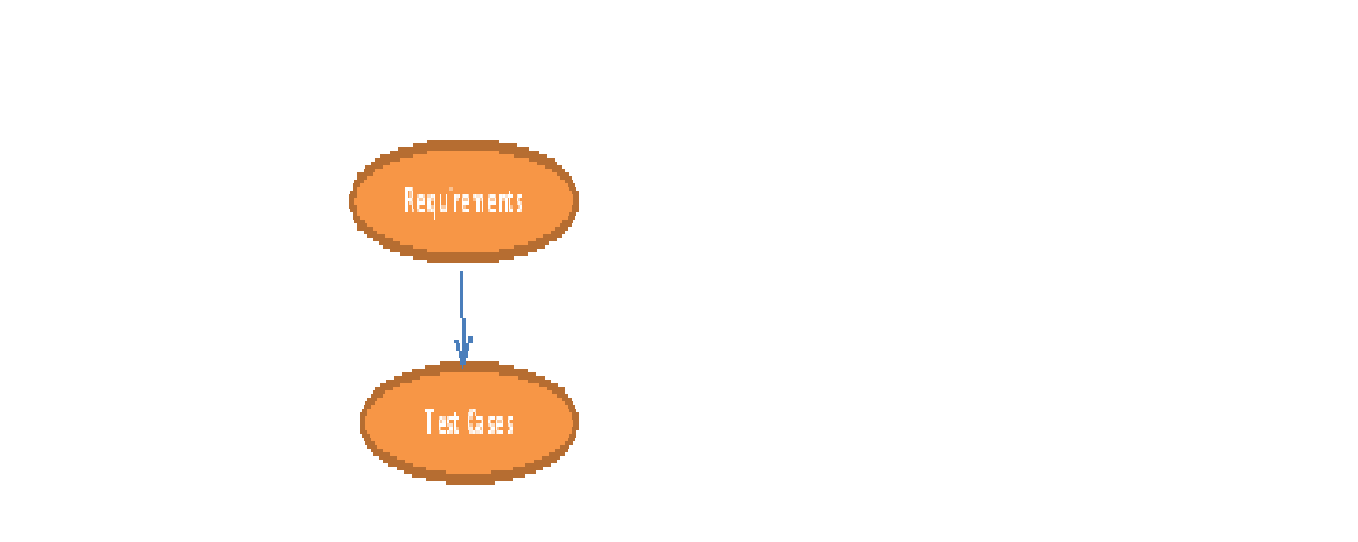
2. Backward Traceability:


Mapping takes place from test cases to requirements.
Bidirectional Traceability:


It contain Forward and backward traceability .Bidirectional
matrix is good for practise
A traceability matrix is a table that traces a requirement
to the tests that are needed to verify that the requirement is fulfilled. A
good traceability matrix will provide backward and forward traceability,. The matrix
links higher level requirements, design specifications, test requirements, and
code files. This is also known as Requirements Traceability
Matrix or RTM.
In RTM each requirements should be traceable: Written test
cases should be traceable to its requirement specification. If there is new
version then updated test cases should be traceable with that.
and make sure that all requirements included in the test cases
It Easy to identify the missing functionality.
If there is a change request for a requirement, then we can
easily find out which test cases need to update.
It is also use for the test coverage.
Sunday, March 18, 2012
How to use extension(plug-in) in Selenium IDE?
1. Go to Google
2. Type the selenium documentation
3. Click on the sequence of evaluation and flow control under the selenium IDE
4. Click on the link selenium ide.js extension
5. Click on the link page
6.Eg: github.com/darrenderidder/sideflow
7. Download the zip file
8. Extract the file
9. Copy the js file where you want to save
How to retrieve the saved .js file in the selenium IDE?
1. It is good to be Save js file the name of as user-extensions.js. While this name isn’t technically necessary, it’s good practice to keep things consistent.
2. Open Firefox and open Selenium-IDE.
3. Click on Tools, Options
4. In Selenium Core Extensions click on Browse and find the user-extensions. js file. Click on OK.
5. Your user-extension will not yet be loaded; you must close and restart Selenium-IDE.
Subscribe to:
Posts (Atom)